

Install Klaviyo on Emotive
- Navigate to Integrations.
- Locate Klaviyo and select Add Integration.
- Insert your Klaviyo Public API Key.
- Insert your Klaviyo Private API Key.
- Configure your preferences under the Sync Data section.
- Click + Import if you’d like to import any Lists from Klaviyo.
- Save your changes.
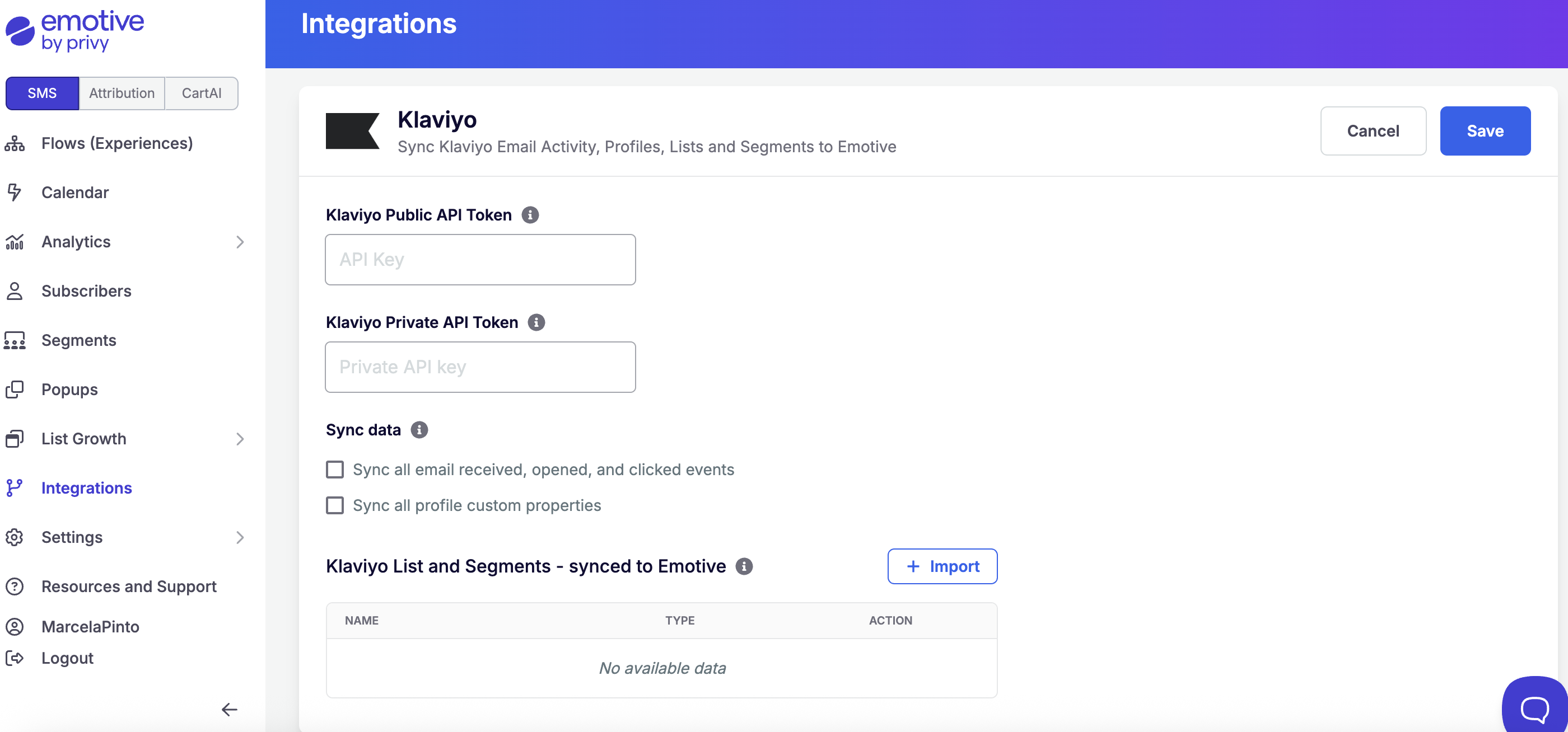
If you opt to sync any Klaviyo Lists to Emotive, they will appear in your Emotive segment list for both your Broadcasts and Flows.
FAQs
I've selected a Klaviyo list/segment to sync, now what?
I've selected a Klaviyo list/segment to sync, now what?
After you select a Klaviyo List to sync, we’ll automatically create an Emotive segment on the Segments page under Third-Party Segments.
How often do segments automatically sync?
How often do segments automatically sync?
They typically sync every hour, but it could take up to four hours for larger lists. Our sync starts immediately after selecting a list from the integrations page. Our syncs happen at the top of the hour.
Can I still manually refresh in addition to the automatic refresh?
Can I still manually refresh in addition to the automatic refresh?
Currently, it is not possible to manually sync a list.
How many lists can we sync?
How many lists can we sync?
We have no limits to the number of lists you would like to sync.
Is there a segment list size limit?
Is there a segment list size limit?
No, although larger list sizes will take longer to sync with Emotive.
How does the sync work?
How does the sync work?
We scan a Klaviyo list and extract all profiles that include a phone number. We then look at your customer list in Emotive and create a list of customers that are in both systems. This list will be available as segment logic to be used in Broadcasts and Sequences.
Why do you only message customers that are matched in both systems?
Why do you only message customers that are matched in both systems?
Due to the state of SMS marketing from a legal perspective we need to be very careful who we message for legal compliance with TCPA. We will only message customers that have opted-in properly via Emotive to reduce liability exposure for your brand.
How do I increase the match rate between Emotive and Klaviyo?
How do I increase the match rate between Emotive and Klaviyo?
There are a few suggestions here. First, make sure that Klaviyo is integrated with your e-commerce platform so that customers that have consented to SMS marketing are added to both Emotive and Klaviyo. Second, if you already have a list of customers in Klaviyo that have phone numbers and have consented to marketing we can import them into Emotive.
Can Emotive sync Klaviyo segments and lists?
Can Emotive sync Klaviyo segments and lists?
Yes, Emotive will make both Klaviyo segments and lists available to sync.