> ## Documentation Index
> Fetch the complete documentation index at: https://help.emotive.io/llms.txt
> Use this file to discover all available pages before exploring further.
# View Your Itemized Billing Reports
> Locate and view your account's billing reports in Emotive.
## Accessing Your Billing Reports
To locate your itemized billing reports:
* Head to **Settings** in your Emotive dashboard.
* Navigate to your [Billing](https://www.emotiveapp.co/billing) settings.
* Click **View Breakdown**.
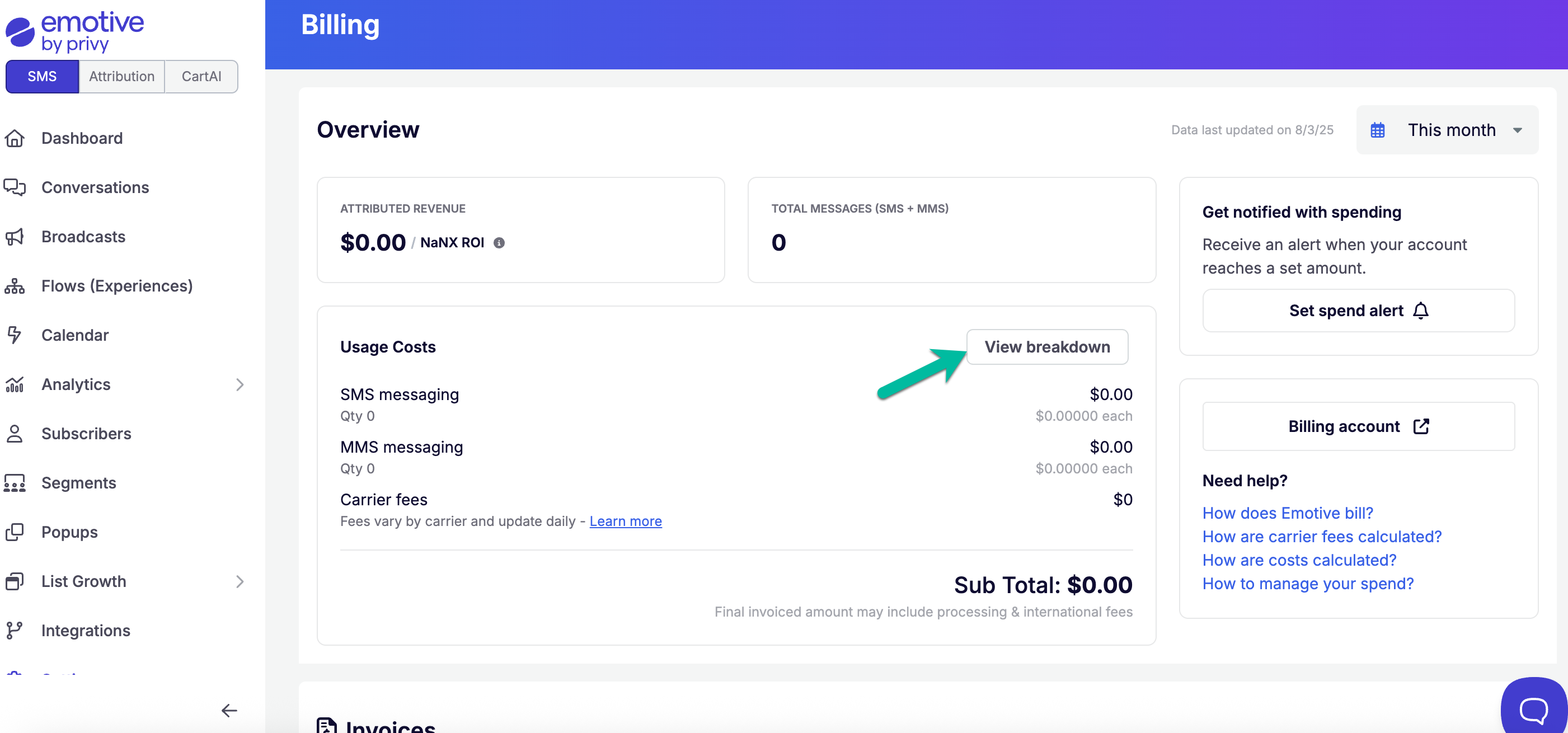 The following report will give you a breakdown of your message counts / costs for broadcast, experiences, incoming and other messages.
You can also change the report from "Current month" to "Last month" with the date range filter.
To learn more about the metrics included in this report, please reference this article.
## FAQs
We cannot export the reports at this time.
We currently do not provide a break down of messages per Experience.
Learn more about Carrier Fees here.
The following report will give you a breakdown of your message counts / costs for broadcast, experiences, incoming and other messages.
You can also change the report from "Current month" to "Last month" with the date range filter.
To learn more about the metrics included in this report, please reference this article.
## FAQs
We cannot export the reports at this time.
We currently do not provide a break down of messages per Experience.
Learn more about Carrier Fees here.